
01
AIoT
Live sensors, cameras, and controllers on a floor map. Device events become jobs — smoke, leak, air quality, power, SOS, and more.
AIoT Platform
Operax Pro is a full AIoT platform for facilities and service management plus integrated multi-site security — live map, video wall, field apps, floor tablets, and a 24/7 CMS in one product.
Platform
Operations, facilities, and security share the same live picture of the estate — and the same workflow to act on it.
For multi-site estates, facility teams, and security operations that need one live picture.
Live sensors, cameras, and controllers on a floor map. Device events become jobs — smoke, leak, air quality, power, SOS, and more.
Maintenance jobs, tablet stations, remote access control with audit, and a video wall in the same incident workflow.
Guard tours, job dispatch, virtual patrol, AI identification, live alarms, and a 24/7 CMS view across the portfolio.
What changes
Floor map, city map, and video wall put the event on a place — not only in a list.
Guard app, floor tablet, and 24/7 CMS share jobs, tours, and live video.
Scanned, late, and missed checkpoints are in the report. Virtual tours cover the thin hours.
AI IoT cards raise work before the tenant call. Jobs stay on the asset and the floor.
Remote add-on access control is usable in the moment and reviewable afterwards.
BMS and existing cameras join Operax Pro instead of forcing a rip-and-replace.
Capabilities
From the command map to the floor tablet — built for real buildings, not a demo wall.
Floor and city views with live device and camera pins.
Guards on mobile. Duty desk on a building tablet.
The tablet talks to the guard app and the command centre.
Multi-site, roles, audit history, cloud or private host.
Connect the building management systems you already operate.
Smoke, leak, air, power, motion, SOS — live on one wall.
Raise, dispatch, attend, verify, and close maintenance work.
Planned and ad-hoc tours with live progress.
Command view
Floorplans carry live sensors and cameras. Open an anchor and the feed pops up on the plan — no extra viewer.
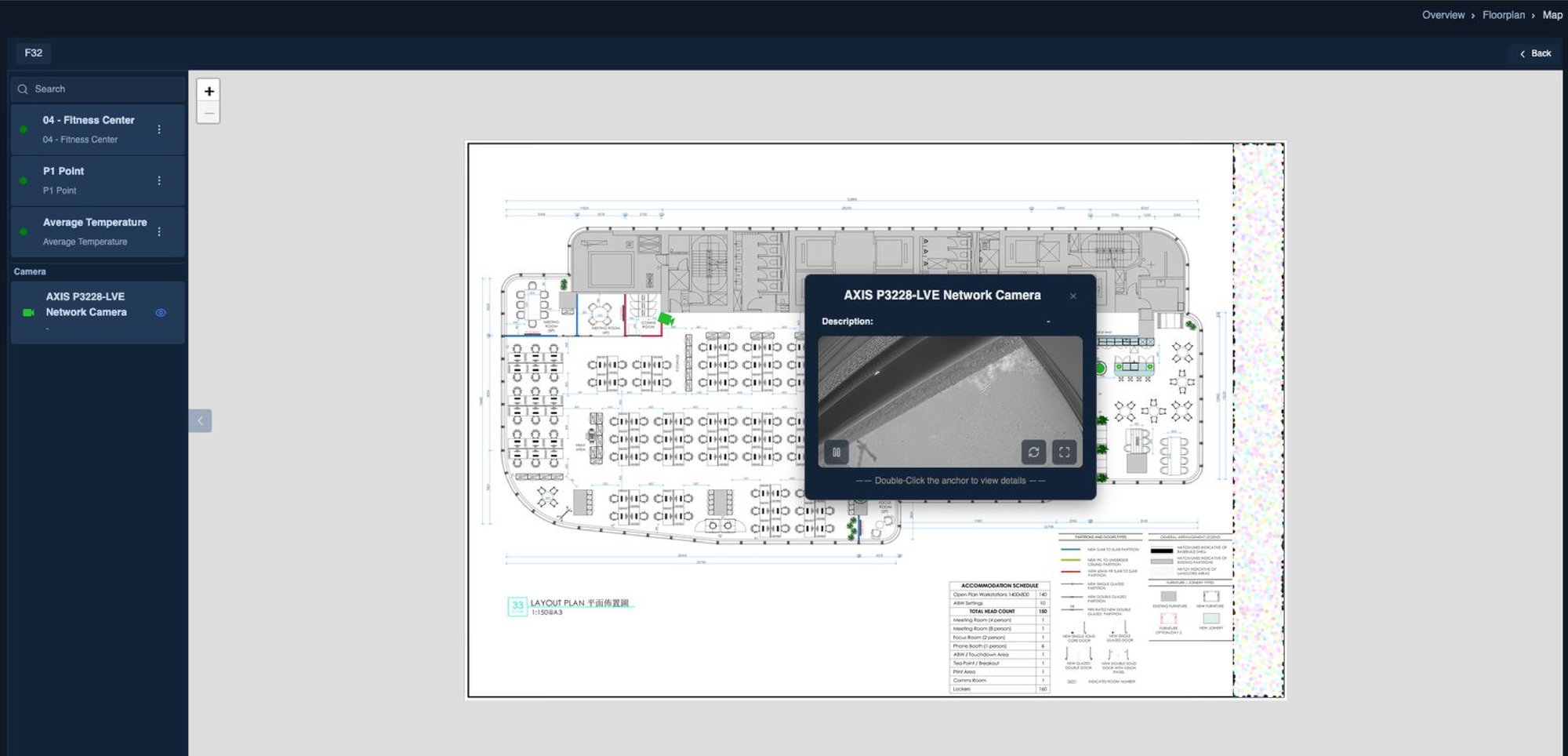
AIoT layer
Smoke, leak, air quality, motion, smart power, and SOS — each card is live state, not a separate vendor portal.
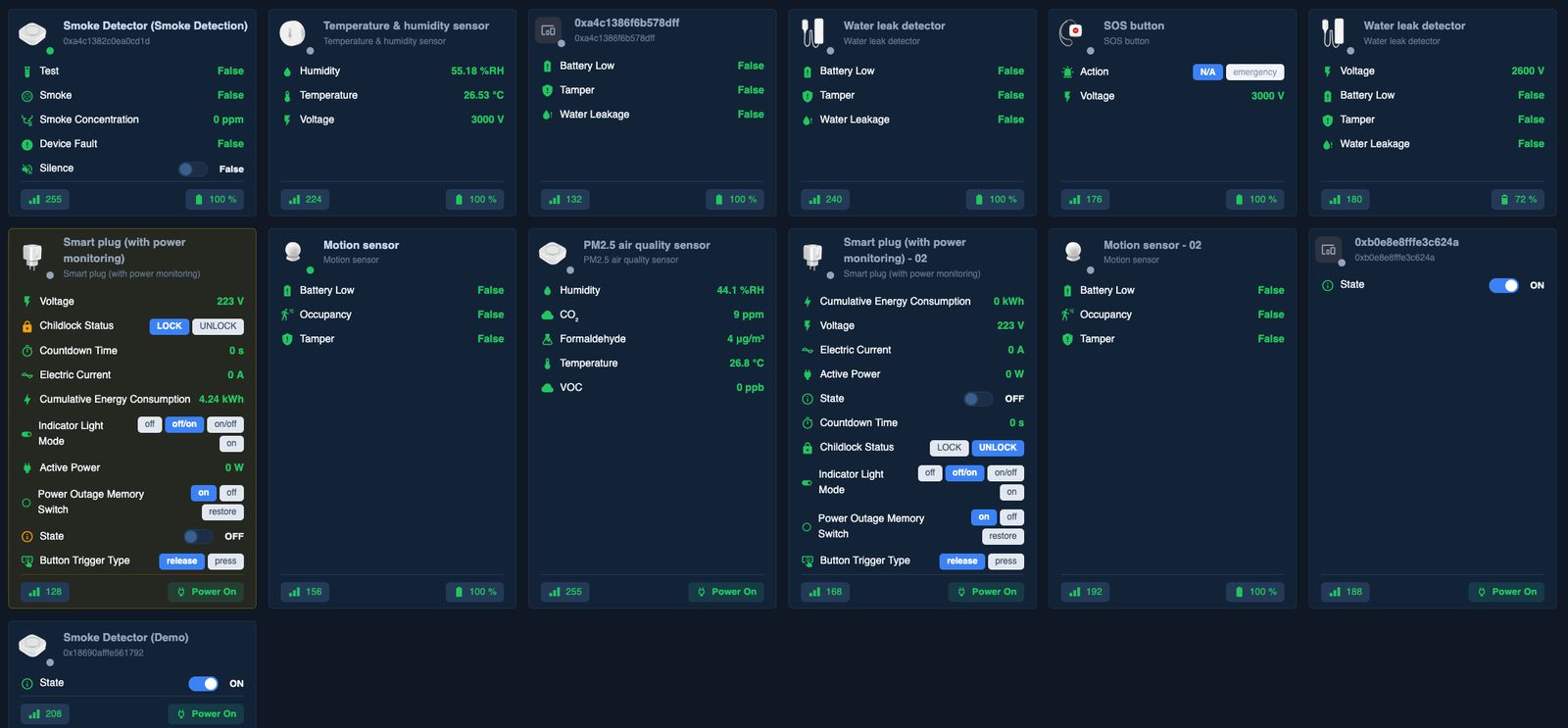
Operax Pro · Live sensors
Access model
Ready for tours, checkpoints, alarms, and incident capture. Start, hold, resume, and end a tour from the field. Scan on-time or late checkpoints. Raise a panic alarm. File a report without a desktop.
Lobby, plant room, or security desk. Links to the guard mobile app in real time, and to the 24/7 CMS, so the site is never cut off. Shared duty device — no personal phone required.
Web workspace for supervisors and command-centre staff. Portfolio KPIs: check-in, alarms, incidents, late tours. Role-based access across sites and contractors.
Enterprise ready
One tenancy, many properties. Policy and reporting stay central; each site keeps local operations.
Connect existing building management systems so plant, HVAC, and on-site controllers join the same live picture.
Guard, technician, contractor, site supervisor, CMS operator, group lead — least privilege by default.
Tours, jobs, alarm acknowledgements, video pop-ups, and access-control actions can be reconstructed.
Cloud, private, or mixed. The platform follows how the estate is networked.
Enterprise sign-on patterns and clean removal of temporary staff access.
Module
Keep the building running as a managed service — devices, jobs, doors, and video in one loop.
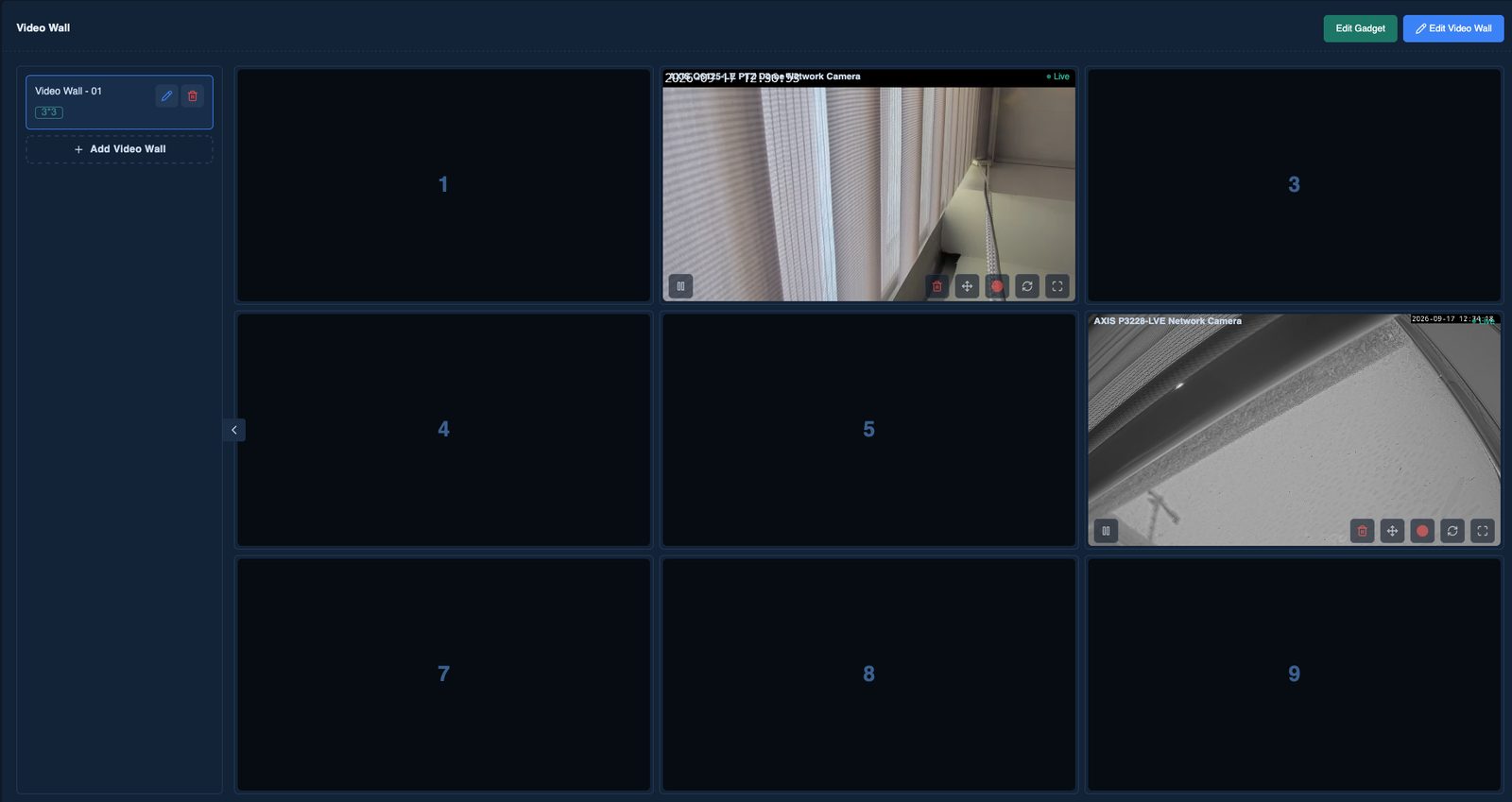
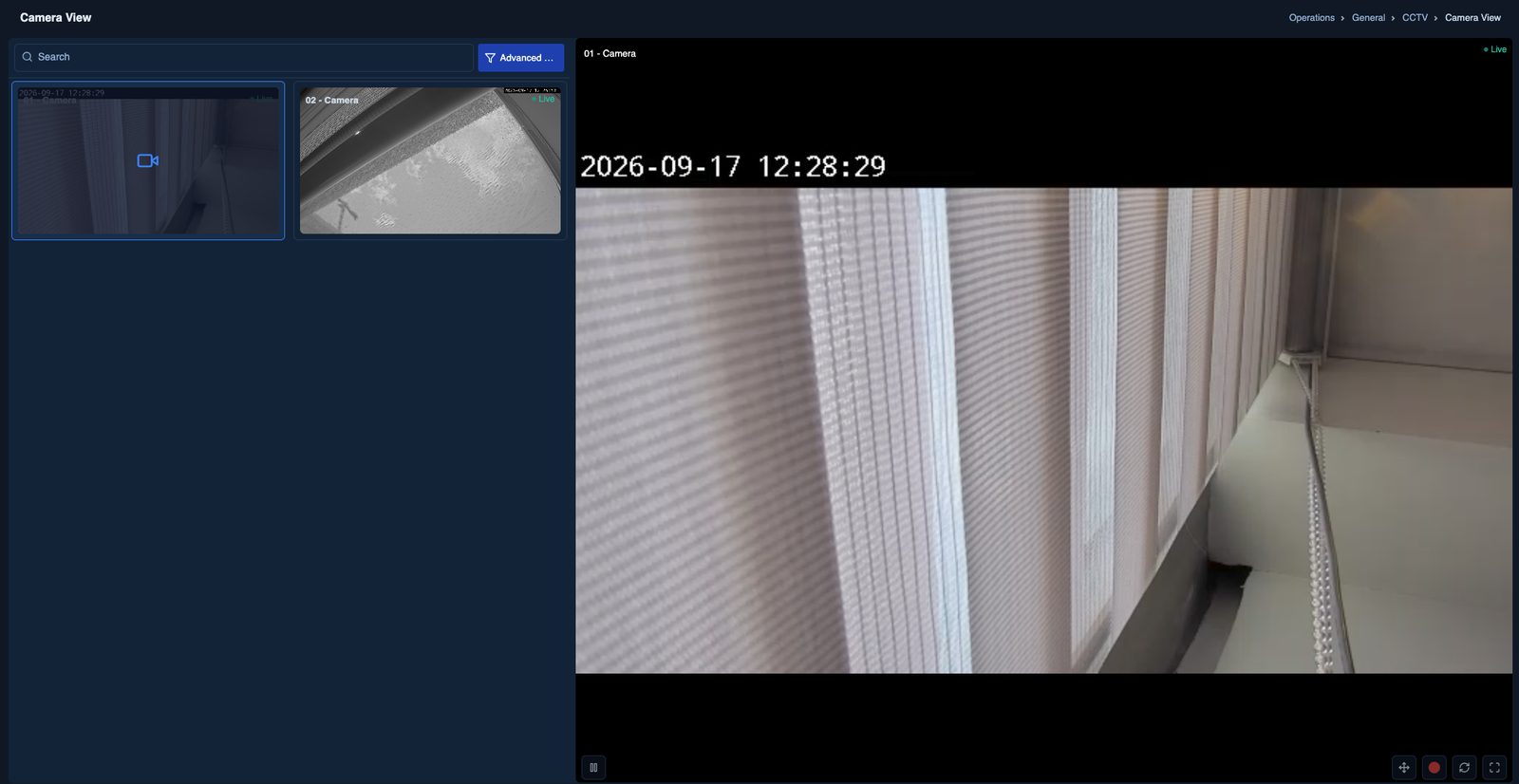
Incident response
From an alarm row or a map pin, the operator opens the camera without leaving Operax Pro.
Module
Physical presence, virtual coverage, and proof — with a mobile app that is ready.
Build tour templates by site and shift. Dispatch planned rounds or ad-hoc tasks. Supervisors watch live progress and cover an empty post.
When headcount is thin, remote operators walk camera and sensor paths, mark checkpoints digitally, and escalate only what needs a person on site.
AI assists the tour — people, vehicles, and unusual events — so the officer or virtual guard spends time on exceptions.
Guards start, hold, resume, and close tours on the phone. Checkpoints, late scans, panic alarms, check-in/out, and incident photos travel with the officer.
Guard operations
Check-ins, current alarms, incidents, late tours, activity feed, officer list, and a live location map.
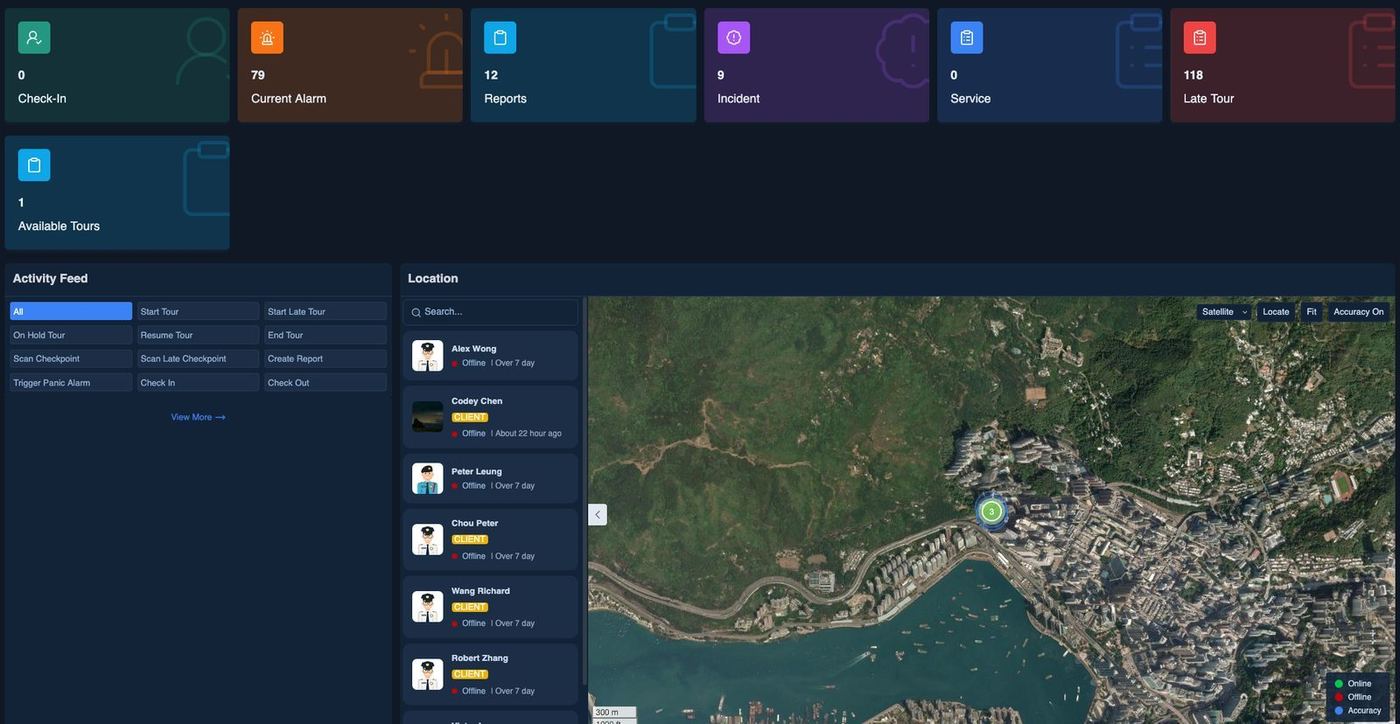
Operax Pro · Patrol dashboard
Alarm management
Status, area, zone, and actions including locate and live camera. Pending, in progress, resolved — visible to CMS and the field.
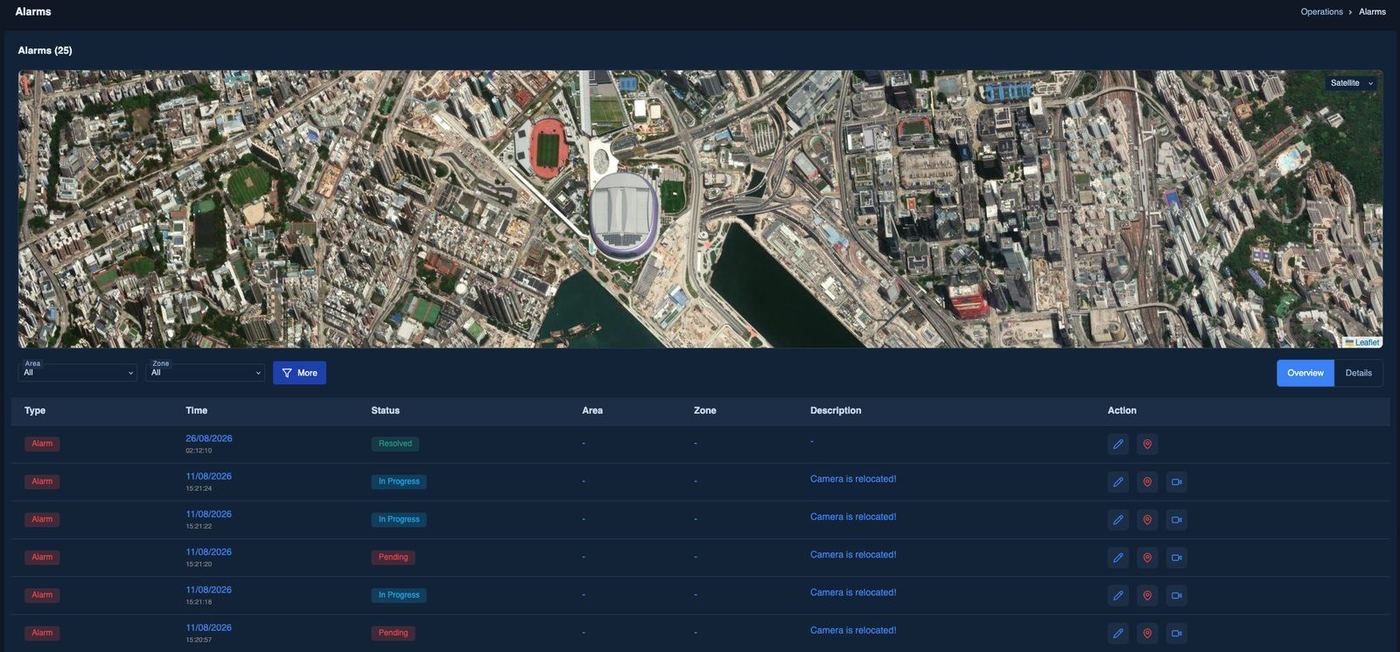
Operax Pro · Alarm management
Proof of work
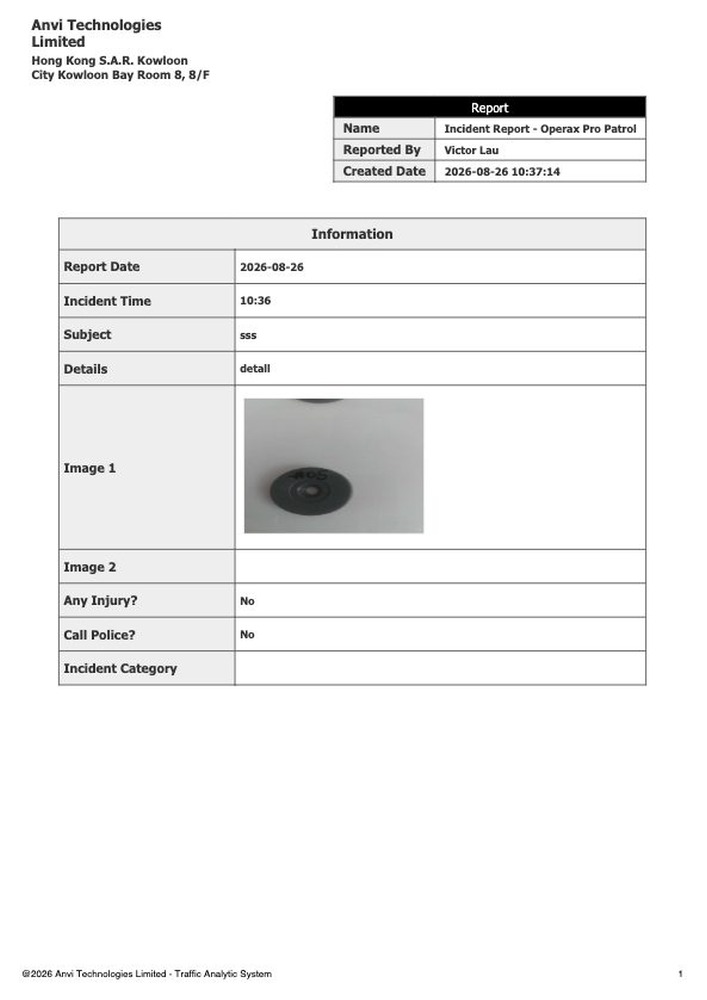
Checkpoint timing, missed points, photos, injury and police flags — generated from the mobile workflow, not typed later.
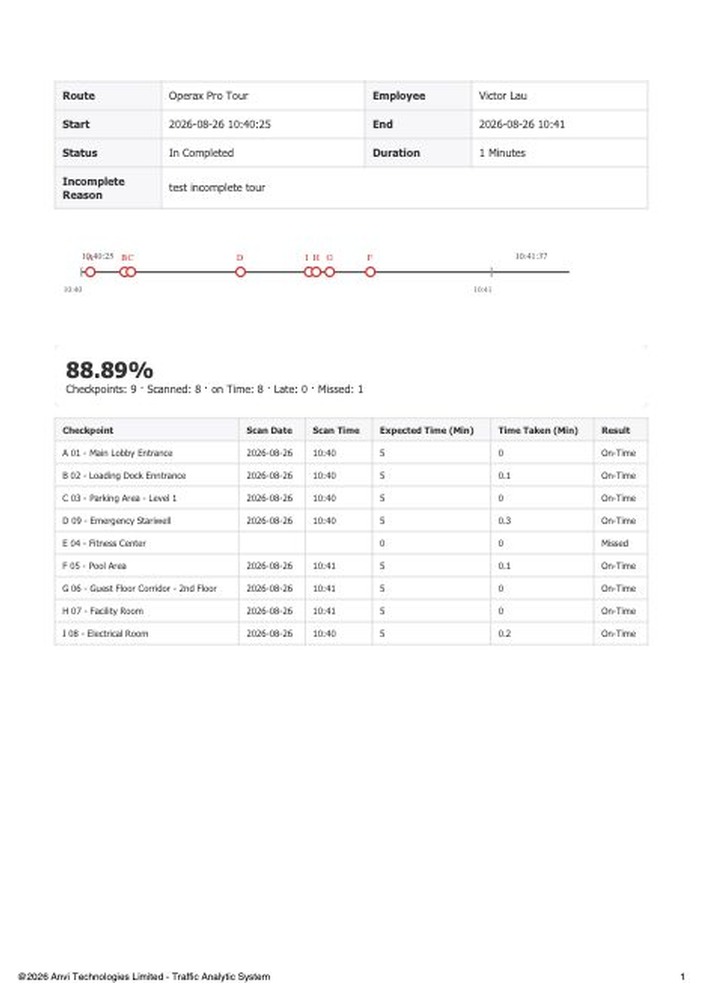
Route, officer, duration, completion %, on-time / late / missed checkpoints — ready for the client or the SLA review.
Time, subject, photos, and follow-up questions captured while the officer is still on scene.
Remote door grants sit in the same reporting discipline: who, when, which door, and why.
Next step
A live walkthrough of the map, video wall, and a guard tour — on your terms.
Contact
Ask for a live walkthrough of the map, video wall, and a guard tour on one building.
Security Licence No.: 2204
Room 8, 8/F., Pacific Trade Centre, 2 Kai Hing Road, Kowloon Bay, Kowloon, Hong Kong.
Fax: +852 2258 2218